
Key takeaways
Search Profile collects website and social network content into a point on Google. Learn the conditions, how to add badges and roles in content strategy.
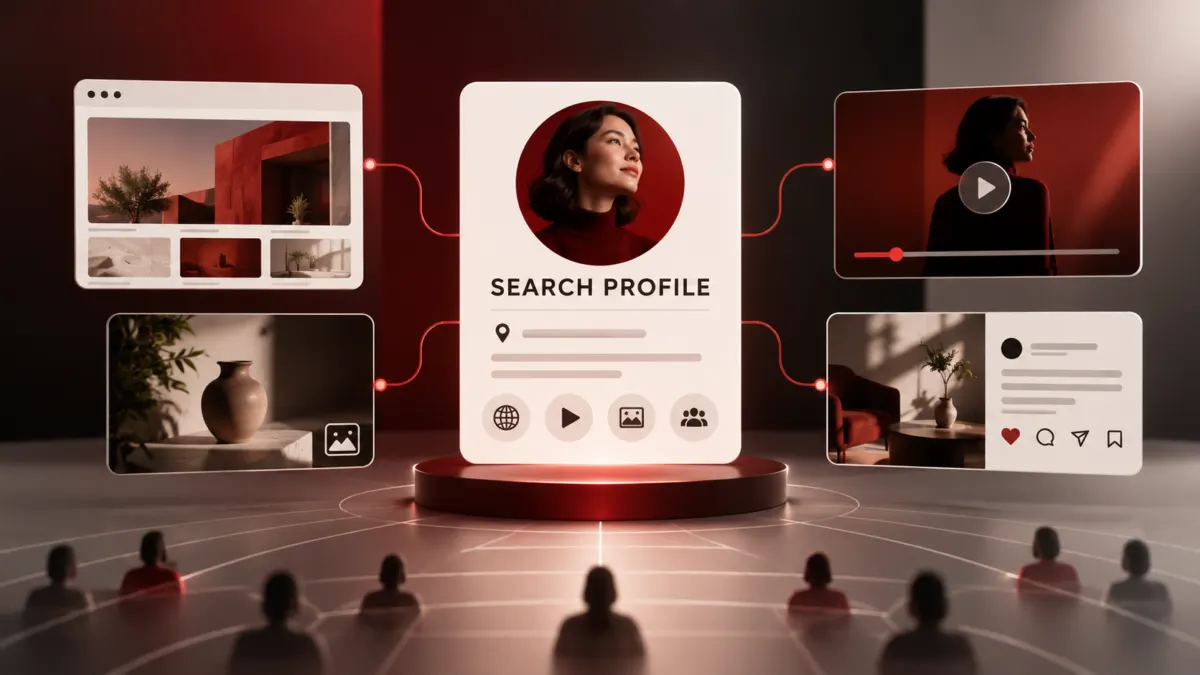
What is search profile? According to Google, this is a destination that gathers content of websites, publishers or creators from many places on the web and social networks. Users can track this profile; The content linked in the profile is likely to appear more in line with Google Discover followers.
In September 2026, Google added a guide to putting Search Profile Badge on the website. This is a new opportunity for a content delivery strategy, but not a commitment to increase rankings or increase traffic automatically.
What is a search profile and how does it work?
Search Profile can gather links to content on the website and channels such as videos and social networks. After the owner confirms the profile, they have a URL in profile.google.com by handle.
Badge on the website acts as a link to help readers find and track that profile. It is closer to a content connection point than a traditional technical SEO element.
Why is Search Profile notable?
The content journey is no longer on a channel
Customers can watch the short video first, read the in-depth article later, and then come back via Discover. A unified profile helps users understand channels belonging to the same subject.
Website becomes a center of authentication
Website is still a controlling business asset. When linking search profiles from the website, the brand creates a clear path between the property and the distribution channels.
Tracking becomes a distribution signal
Google says the link content on Search Profile is more likely to appear with followers on Discover. It should be understood that this is a possibility, not a guarantee of the amount of display.
Who should care?
Search Profile is more suitable for:
- Creators have regular content;
- Brands have multi-channel content strategy;
- Publisher;
- Personal branding expert;
- Businesses have closely linked videos, articles and social content.
Businesses only post sporadically or do not have a stable content calendar, so prioritizing the content platform first.
How to deploy Search Profile Badge
Step 1: Check and confirm
Businesses need to have a search profile and complete the claim process according to the instructions. Do not create your own guessing path by brand name if the profile does not exist.
Step 2: Get the correct profile URL
Google describes the URL pattern by handle. Try opening the URL in logout mode to make sure the user is accessible.
Step 3: Use the official Badge asset
If you use the Google icon or button, follow the branding instructions. Do not stretch, change color arbitrarily or improperly pair the icon.
Step 4: Place in the right place
Possible locations:
- Introduction page;
- at the end of the article;
- author area;
- contact page;
- compact footer;
- Newsletter or Bio Link.
Badge should not compete with the main sales CTA.
Step 5: Ensure accessibility
Google recommends a minimum touch zone of 48 × 48 dP on Android and 44 × 44 px on iOS and the web. The image needs clear alt text, the link has the accessible label and the right contrast.
Search Profile does not replace anything?
It does not replace:
- useful content;
- Website structure;
- Search Console;
- Technical SEO;
- Email channel;
- Social strategy;
- Measure conversions.
Badge is only useful when behind is a consistently themed content system and a sustainable release schedule.
Content strategy with Search Profile
Identify the theme pillar
Choose 3–5 topic groups associated with customer needs. Each channel interprets the same topic at a different depth.
Create a distribution chain
A website can create:
- a video explaining;
- three short paragraphs;
- an infographic;
- an email;
- Part FAQ;
- An update after a few weeks.
Keep identity information consistent
Names, photos, descriptions and links should be unified. Avoid letting each channel use a different positioning that makes it difficult for users to identify.
Measure the behavior after clicking
Attach the appropriate tracking parameter to the link when the policy allows it. Tracks sessions, read rates, subscriptions and conversions, not just followers.
FAQ about search profile
Does Search Profile help increase SEO?
Google doesn't say badge is a ranking factor. The main value is to help users find profiles and connect cross-platform content.
Can Vietnamese businesses use it right away?
The scope of records may differ by account or market. Check out the actual Claim ability before planning the deployment.
Should you put badges on every page?
Not necessarily. Place where the user has a reason to track the content, and at the same time do not dilute the main CTA.
Conclude
Search Profile reflects the trend of content that is subject to the subject and distributed across many formats. The brand should start with a clear content system, then use Badge as an additional bridge. This approach is more practical than seeing Badge as a trick to increase traffic.
Chipan Marketing Agency supports building multi-channel content strategy, SEO and measurement systems. Contact Chipan to design a content journey in line with growth goals.
Reference source: Google Search Central – Add a Search Profile Badge

ChiPan Marketing AgencyFrom creative work, content and advertising to restructuring marketing, sales channels and the operating model.