
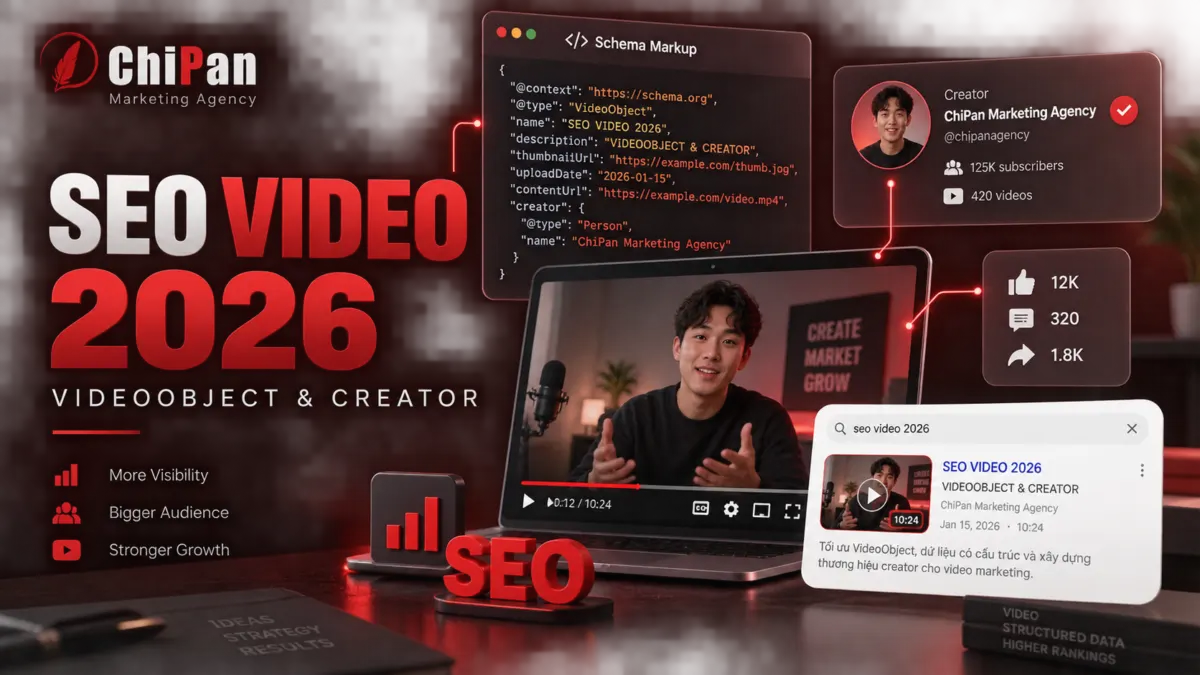
Key takeaways
Google updates the VideoObject tutorial and the Creator property. See the SEO Video 2026 checklist for websites with sales videos or livestream playback.
SEO Video 2026 is more than just placing keywords in the title. The website needs to help the search engine understand what the video is about, who creates the content, where the video is, and how the user can see the content.
On September 24, 2026, Google updates structured data documents for videos, adds attributes Creator, support author and clarify how to describe interactions in InteractionStatistic of VideoObject.
What is a VideoObject?
VideoObject The structured data type in Schema.org helps to describe videos on a website. Common attributes include name, description, thumbnail, upload date, duration, content URL, or embedded URL.
Structured data does not guarantee that videos will appear prominently on Google. However, it helps search engines understand the content better and check the important components of the video.
Google records updates in Search documentation updates September 24, 2026. When implementing, businesses should compare more Video Guidelines Structured Data newest.
What does the Creator attribute mean?
Properties Creator Helps to describe an individual or organization that creates videos. Google also said author Supported in this update context.
That is especially useful with:
- Expert video explaining knowledge.
- Video tutorial produced by the enterprise.
- Webinar and livestream are played back.
- The review video has specific authors.
- Content from multiple Creators on the same website.
The Creator information should match the display on the page. It is not recommended to add an author in the code but the user cannot see or verify who the person is.
How should InteractStatistic be used?
InteractionStatistic Can describe types of interactions such as views. Google's update clarifies the types of interactions that match VideoObject.
Only the website metrics should be declared and can be updated. Do not use estimates, do not add views from many platforms if the source has not been clarified, and do not leave the data in the code different from the data displayed.
Checklist SEO Video 2026
1. Each video has its own viewing page
The page should focus on the main video, which has additional titles, descriptions, and content. Do not place dozens of unrelated videos on the same page and expect all to be understood as the main content.
2. Write the title according to the search intent
The title should clearly state the problem and the results the viewer receives. Avoid generic titles like “Latest Video” or “Livestream this week”.
3. Preparation of stable thumbnails
The thumbnail should have an accessible, good quality URL and reflect the right content. Do not use pictures to deceive viewers.
4. Add Transcript or Summary
Text helps users read quickly, increase accessibility and provide more context for search engines. With long videos, there should be a table of contents or timeline.
5. Consistent Creator Declaration
If the Creator is the organization, the name and the URL should lead to the organizational referral page. If you are an individual, please link to an expert profile or author page with credentials.
6. Check Video URL
Embedded URLs, content URLs and thumbnails to be accessed with Googlebot. Avoid blocking with robots or asking for login if you want the content to be indexed.
7. Check the code before publishing
Use Rich Results Test and track Search Console. pre-required bug fixes; Warnings should be considered according to the actual context.
Examples of information structures to be prepared
Before using the Schema deployment technique, the content team should hand over:
- Video name.
- Short description.
- View page URL.
- URL thumbnail.
- publication date.
- Duration.
- Name and URL Creator.
- Video file or embedded player url.
- Interactive metrics can be verifiable, if used.
Common mistakes when SEO videos
- Only embedded videos but no text content.
- Thumbnail is deleted or changed URL after publishing.
- Use the same title for multiple videos.
- The Creator declaration does not appear on the page.
- Adding views is not updated.
- Schema describes the video differently from the video the user sees.
- The page loads too slowly on mobile devices.
Frequently Asked Questions
Is there a videoobject that is sure up the video result?
No. Structured data helps Google understand content but does not guarantee a specific display.
Do videos posted on YouTube need their own pages on the website?
If the video is important with a content strategy, a separate page has an explanation, Transcript and CTA will create more value than just embedding the video in the composite page.
Do you need to declare views?
Not required in all cases. Use only when reliable metrics and appropriate update procedures are available.
Conclude
SEO Video 2026 needs a combination of content and technique. Good videos but lack of viewing pages, thumbnails, credentials, and structured data will be hard to bring up the full search value.
Chipan supports construction businesses Multi-channel content And optimize the website so that each video continues to create traffic after the campaign ends.

ChiPan Marketing AgencyFrom creative work, content and advertising to restructuring marketing, sales channels and the operating model.