Key takeaways
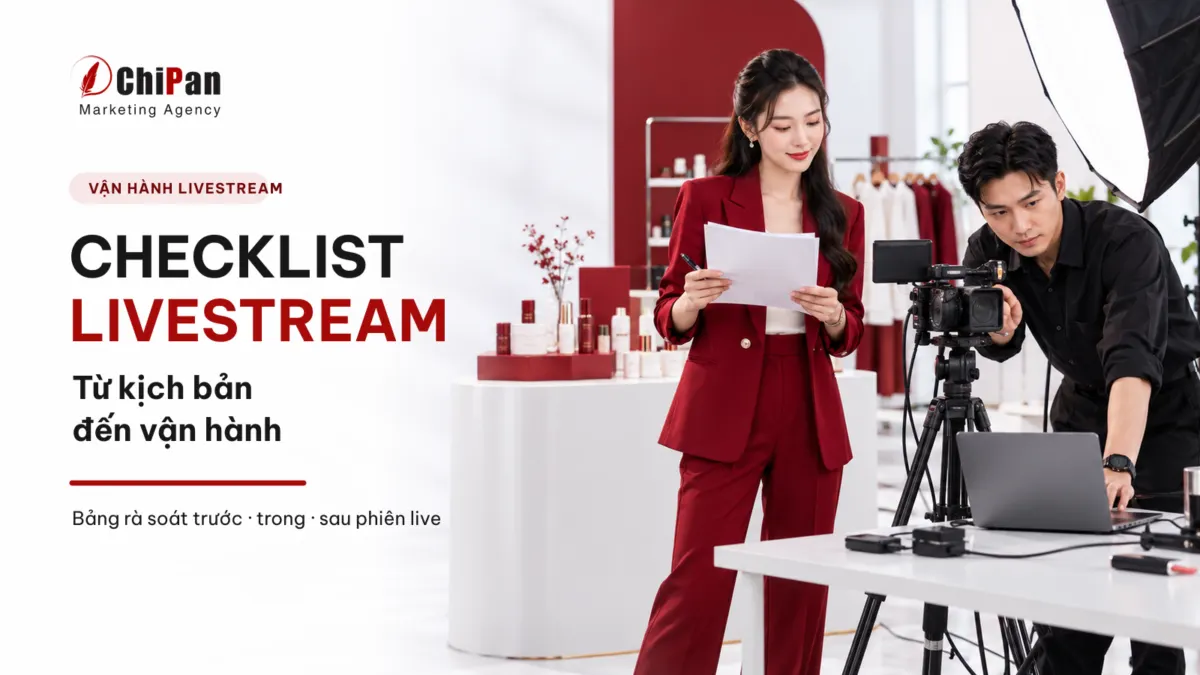
A stable livestream session requires more hosts and devices. This checklist helps businesses review objectives, scenarios, products, techniques, personnel, handle situations and post-session data.
Updated on October 16, 2026
Quick Reply
One checklist livestream Five stages should be covered: target and product identification, scripting, booth inspection and offer, technical test and operational assignment, and then review the data after the session. Each job requires a person in charge, deadlines and criteria to be completed; Don't put everything on the host right before the broadcast time.
Sales livestream is often seen as a show in front of a camera. In fact, the part the customer sees is just the outer layer of a process that includes content, product, price, inventory, equipment, personnel, policy and single processing.
Without the general checklist, the team is very easy to fall into the state that the script is finished but the price has not been approved, the product has been attached but the inventory is not locked, the host is talking but the operator does not know when the product is pinned, or the live session ends but no one summarizes the question and the cause of the application drop.
This article provides a checklist that can be used for TikTok Shop, Facebook or other livestream platforms. Enterprises need to adjust according to the actual features, policies and data of each channel at the time of implementation.
What is a livestream checklist?
Checklist Livestream is a checklist of conditions to be completed before, during and after a live stream. The goal is not to create more procedures, but to help the team understand three things: what must be done, who is responsible and what signs show that the job has been achieved.
A good checklist not only lists “Preparing the camera, light, mic”. It must connect four layers of operation:
- business: Live session targets, product catalogs, prices, offers and inventory.
- Content: Viewers, messages, demo sequences, FAQs, and invitations to action.
- Production: Background, light, sound, transmission line, main equipment and backup plan.
- Execute: Host, Coordinator, Technical, Feedback Comments, Pin Products, Processing Singles and Reports.
Chipan sees a checklist as a tool for assignment and risk control, not a fixed pattern for every session. A new product launch session, a sale session and an in-depth consultation session need different priorities.
Overview checklist in 5 stages
| Stage | Results required | The owner of the suggestion | Lock time |
|---|---|---|---|
| 1. Target and Offer | Targets, groups of visitors, SKUs, prices and approved offers | Business Owner/Marketing/E-Commerce | 3-7 days before live |
| 2. Script and Content | run-of-show, thesis, demo, FAQ and CTA | Content/Producer/Host | 2-3 days before live |
| 3. Booth and products | Correctly mounted product, stock and match policy | E-commerce/warehouse/cskh | 1 day before live |
| 4. Engineering and Operation | Devices, transmission lines, role-playing and crash scenarios | Producer/Technical/Moderator | 30–60 minutes before live |
| 5. After the session | Single, data, response and backlog | e-commerce/data/marketing | in 24–48 hours |
Stage 1: Pinning targets, customers and products
1. Identify a key target for the Live session
A session can both create awareness, consultancy, and sales, but the team still needs to choose a main goal to design the rhythm of content and how to measure.
For example, if the goal is to introduce a new product, the script should prioritize the problem interpretation, demo and the response to the question. If the goal is to handle inventory, the enterprise must clearly lock the SKU, quantity, preferential margin and return conditions before writing the dialogue.
checklist:
- The main goal is written in a sentence, not using ambiguous clusters like "live for good".
- Identify priority groups and questions they need to be answered.
- Select the lead index and the resulting index that matches the goal.
- Unify the duration and time frame based on channel data, not on the general "golden hour frame".
2. Select the category and role of each SKU
Don't put the entire booth in one live session. Please divide the product by role: product that pulls the viewer, the product to be demo, the flagship product, the purchased product and the backup product.
For each SKU, the team should have a short "product card" including the correct name on the booth, main benefit, mandatory parameters, variation, list price, live price, availability, return policy and contents that are not allowed to say.
3. Lock Offer before writing the script
Prices, vouchers, gifts, combos, shipping fees and applicable deadlines must be approved in advance. The script cannot be accurate if the offer is constantly changing.
Check out the last price that the customer sees, the minimum condition, the applicable quantity and the situation out of stock. All incentive statements must be clear; Avoid absolute words or create a sense of scarcity that is not realistic.
Stage 2: Build a livestream script that can be operated
4. Write run-of-show instead of just writing lines
Run-of-show is the time-coordination panel. Each segment should represent the host's theme, goal, product, action, moderator's actions, visualization, and the signal to move to the next section.
| segment | Target | Host done | Operation team performs |
|---|---|---|---|
| Preamble | Confirm the topic and reasons to stay | State the problem, calendar content, conditional benefits | Check out the sound, greet the viewer, pin the opening product |
| demo | Help customers understand and compare | True operation, explain the selection criteria | Change camera angle, pin the correct SKU, write a question |
| consult | Removing the decisive barrier | Answer questions in groups | Filter questions, verify information, alert risk claims |
| OFFER | Clear pricing and conditions | Reminder of benefits, end price, how to buy | Code activation, inventory checking, error tracking |
| session | Summary and next step | Recall options and policies | Save the remaining question, prepare to check |
5. Prepare repeatable blocks of content
The long live session cannot depend on a single speaking circuit. Break the content into blocks 5-15 minutes that can be returned when new viewers: problems, demos, comparisons, FAQs, offers and buying instructions.
Host does not need to memorize each sentence. Hosts need to understand the compulsory point, words to avoid, how to handle without information and handover points to Moderator.
See more articles Cosmetic livestream script: demo structure, consultation and closing To build content structure for the industry requires careful advice.
6. Set up a question and situation bank
Gather questions from comments, inbox, customer service, product review and search data. Grouping into: suitable for AI, usage, variant comparison, price and offer, shipping, return, warranty and special situation.
Each answer should specify the source of internal information. If not verified, the host should say it will check and respond later, instead of improvising into a commit.
Stage 3: Check booths, products and compliance
7. Review the information you see
Before Live, open the booth with a guest account to check:
- Does the product name and variation match the dialogue?
- Pictures, descriptions, prices, vouchers and shipping fees show right.
- The product is allowed to sell and has been attached to the live session yet.
- Is the inventory enough for the expected traffic level and is there a plan when it runs out of stock?
- Is the return policy, delivery and after-sales care clear?
8. Checking and Platform Policy
TikTok Shop Vietnam stipulates that sales livestream activities must comply with applicable laws, along with the updated terms, standards and policies from time to time. Regulations dated September 15, 2026 also place the responsibility to actively monitor live sessions, correct or terminate false content and handle inappropriate links for the parties involved.
Therefore, the checklist should have someone to check the product name, use, price, offer, image, music, host statement and pinned product. With conditional industries such as healthcare, cosmetics, health protection food or finance, businesses need to review more specialized regulations and related advertising records.
View more TikTok Shop Livestream Regulations 2026: What do businesses need to prepare? to separate the policy section from the operation section.
Stage 4: Technical test run and role-playing
9. Check the device by signal line
Don't just ask "does the camera run". Check out the entire path of the image and sound: power, camera, cable, receiver, software, transmit account, monitor and recording.
Minimum technical checklist:
- Camera or phone clean lens, right frame and right scale.
- Light enough to show the right skin tone and product color.
- The mic tried at the host's real voice; Listen again with other headphones.
- The main network is stable and there is a backup plan that is actually checked.
- Equipment is continuously powered; Turn off unnecessary notifications and calls.
- Accounts, live broadcasts, and products are mounted ready.
- There is a record or plan to save the necessary data according to the applicable policy.
10. Role-playing with specific actions
A basic live session can include host, producer/coordinator, technician, comment moderator, and the person in charge of the booth/single. A person can take on many roles, but each action should have only one person in charge of the last responsibility.
| Role | Before Live | In live | After Live |
|---|---|---|---|
| host | Grasp products, try demo and pronunciation | content, interactive, and adherent | Notes on questions and not clear points |
| Producer | Lock run-of-show, cue and duration | Coordination, segmentation, troubleshooting | Summary of developments and lessons |
| Moderator | Prepare answers and comment rules | Filtering questions, feedback, signaling risk | Handover of unresolved questions |
| E-Commerce | Check SKU, price, inventory, voucher | Pinning products, tracking prices and buying errors | Reconciliation, cancellation, inventory and settlement |
| Technical | Test images, sounds, network | Tracking signals and recordings | Backup and record device errors |
11. Episode Three Bad Situations
Before each session, the team should rehearse at least three situations: loss of life or loss of voice, wrong display product/incentive and statements that need to be corrected. Each situation must have a decision maker, inform the viewer and move on to the backup plan.
The important point is early detection and transparent handling. Do not continue to repeat uncertain information just to keep the sales pace.
Stage 5: Operation in Live and report after session
12. Track signals by segment
During the session, the team needs to record the time to exchange products, launch offers, change messages or encounter errors. As a result, the data after Live has a context to explain.
Don't just look at the total views or the total order. Observe at the same time the viewer according to the time, viewing time, interaction, product clicks, add baskets, arising orders and error status. The index name and calculation may differ by platform; Use the definition shown in the analytics tool at the reporting time.
If the session has many viewers but few orders, use 9 points to check when livestream has many viewers but few orders To determine the leak is in traffic, content, offer, product or purchase operation.
13. Lock the feedback ring for 24–48 hours
After Live, check the four data groups:
- Content: Which segment keeps the viewer, the question repeats, the Claim needs to be corrected.
- trade: Clicks, Add Basket, Single, Single Value, Cancel, Refund and Inventory.
- Operation: Device error, response time, wrong SKU, wrong price and Escalte situation.
- Assets: The video is reusable, new FAQ, comments that need care and changes need to be included in the following scenario.
Each conclusion must be tied to data and timelines. For example, “Customers don’t like the product” is a speculation; “The click-down rate in the demo segment variant B, and comment on the increase in size” is a more specific signal for testing.
Template checklist 30 minutes before delivery time
- ☐ Host, Producer, Moderator, Engineering and E-Commerce are present.
- ☐ run-of-show has finally been sent and marked version.
- ☐ Camera, mic, light, power supply and backup network tested.
- ☐ Frames do not reveal internal data or customer information.
- ☐ Products are in the right order, in the right patterns and in the right variations.
- ☐ Price, voucher, gift, inventory and condition checked by guest account.
- ☐ The list of allowed and content to be avoided is placed next to the host/moderator.
- ☐ Introductory products and mounted backup products.
- ☐ The person responsible for making the decision when an error has been identified.
- ☐ Event and data log after Live is ready.
How to turn a checklist into a repetitive process
A checklist is only valid when used and improved after each session. Chipan recommends businesses to save the checklist by session, mark the complete person and record the actual error. After three to five sessions, combine the repeated errors into the standard process, and the rare tasks move on to the backup situation.
Don't leave the checklist so long that the team just ticks it. Each item should have an observable test criteria. Instead of recording "check the sound", write "host say test at real voice, moderator listens with another device and confirms without hesitation, no delay".
When should a business hire a team to operate the livestream?
Enterprises can consider an external operating team when the livestream has become a recurring activity but lacks the person who owns the entire process; When content, booths, advertisements and reports are at many focal points; Or when the internal team is constantly repeating technical and operating errors.
Before choosing a partner, ask for clarification of scope: who is responsible for the script, studio, host, device, booth, moderator, ad, data and troubleshooting. KPIs must be defined in terms of platform and collateral with enterprise data, not just based on views.
Check out the service Operating E-Commerce & Livestream 24/7 To visualize how to connect content, operate the booth and report in the same working rhythm.
Frequently Asked Questions
How long should the livestream checklist be locked?
Targets, products and offers should be closed a few days in advance; The script and run-of-show need enough time for the host to rehearse. The technical part, account rights and products attached to the Live should be checked again on the broadcast day and tested before the broadcast time.
Can a person operate the entire live session on their own?
Maybe with small sessions, few SKUs and less interaction. However, the host speaks, reads comments, and pins the product and handles errors. If resources are limited, the minimum should be separated from the commenter and the booth status.
Which KPI should be measured?
Target-dependent KPI. The signal group usually includes the viewer by time, viewing time, interaction, product clicks, Add basket, arising order, single value and cancellation/refund rate. It is necessary to specify the definition, source and measurement period of each indicator.
Should you write detailed lines for the host?
It is advisable to write in detail the required parts such as Claim, Price, Preferential Conditions and CTA. Communication passages can use bullets to speak naturally. Run-of-show and cue operation are often more important than a long text script.
What to do first after live?
Lock session data, process questions and residuals, record the problem, then analyze the effect. Without keeping data and event milestones, the team is easy to conclude according to the feeling.
Conclude
A stable livestream session is the result of a combination of strategy, content, product, technique and operation. Checklist helps businesses reduce dependence on personal memory, assign more responsibility and turn each live session into data for the next session.
If you need to review the current process, role-playing and reporting system, Chipan can start with a diagnosis according to the status quo, resources and actual goals.
CTA: Get advice on operating e-commerce operation/livestream with Chipan
Reference source
- TikTok Shop Seller University Vietnam, “Livestream Regulations”, Updated September 15, 2026:https://seller-vn.tiktok.com/university/essay?knowledge_id=2447213424297748
- TikTok Ads Manager, “How to Create Shopping Ads Through Live”, Updated in March 2026:https://ads.tiktok.com/resources/help/article/how-to-create-live-shopping-ads?lang=vi
- YouTube Help, “Get started with live streaming”:https://support.google.com/youtube/answer/2474026
- YouTube Help, “Promote Your Live Stream”:https://support.google.com/youtube/answer/2524542
*Note: Features, Indicator Name and Platform Policy are subject to change. Businesses should re-check the Seller Center, ad accounts and official documents at the time of operation.*

ChiPan Marketing AgencyFrom creative work, content and advertising to restructuring marketing, sales channels and the operating model.